In short: git rebase origin/master --autostash brings your teammates’ changes into your branch with one command, even with uncommitted work. It stashes your changes, rebases your commits onto the remote, then restores your work.
originally published in 2018 at medium
Here’s the thing: sooner or later someone on your team will push some changes to the branch you’re working on. Leaving the bigger question of feature branches workflows aside, how to resolve this situation in a way that involves just one git command? Let’s start with some background.
The first important concept is stashing. Stash is a command which looks at your repo’s current state, grabs all staged and unstaged changes, packs it all together in nice little package and stores it neatly refrigerated for later use. Here’s how it looks like on a real world example:
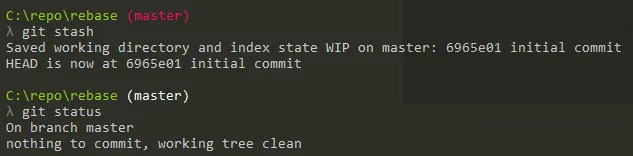
Calling git stash in this situation resets the repository’s state to where it was before I started making any changes:
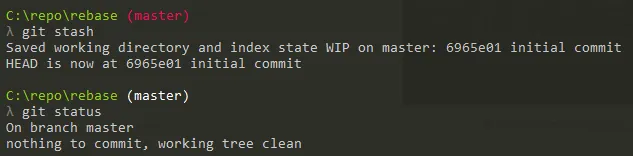
Now, if there were some changes in origin/master I could just call git pull and don’t worry about my unsaved work getting in a way of fast-forwarding to the recent repository’s state. Applying stashed changes is as easy as calling git stash pop.
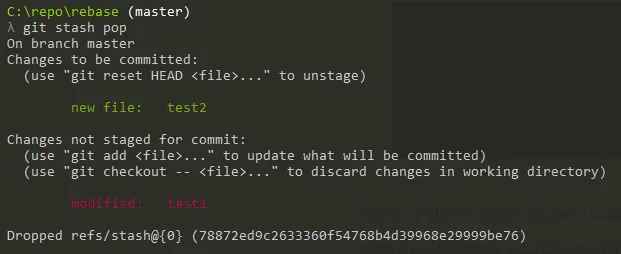
So we’re back to square one. git stash is useful, and if you’ve ever created temporary commits just to pull some changes, that’s certainly a more efficient way of doing the same thing. You don’t even have to come up with a good commit message yet or deal with amending some newer changes later.
But we can make it even faster, using rebase with autostash switch set on. Rebase is another immensely useful concept. Here are some great explanations on how it actually works:
https://git-scm.com/book/en/v2/Git-Branching-Rebasing
https://hackernoon.com/dont-fear-the-rebase-bca683888dae
The important thing for us is that rebasing local branch with its remote version is a convenient replacement of auto-merge that happens when you pull changes with some commits made on the same branch locally. No more auto-generated “merge” commits, long live clean git log!
But calling git rebase origin/master is no help when there are some uncommited changes in local repository, as it would still require us to create a temporary commit with our work or stash the changes manually. Well, not anymore!

This is truly magical command. You may be in the middle of some work. You may not want to think how your future commit could look like. You just want to update your local branch with some changes someone else has pushed. Rebase with autostash is like a good friend, who takes the remote changes, syncs your local repo, applies your commits on top, and if that wasn’t enough restores your staged and unstaged work. And that’s what friends do, don’t they?
If you have any questions just let me know, we all deserve to have rebase as a close friend.
Leave a Reply