In short: periscope is an open-source command-line browser for AI agents on macOS. It runs Safari’s WebKit engine so sites see a normal Safari, keeps pages open between commands, and returns a page as markdown, structured JSON, a link list or a screenshot. Agents drive it from the shell or over MCP.
The code is at github.com/oskar-szulc/periscope.
$ periscope navigate https://books.toscrape.com/ --session demo
Navigated to: All products | Books to Scrape - Sandbox
URL: https://books.toscrape.com/
Status: 200 · Text: 1,809 chars · HTML: 50,989 chars

$ periscope state --session demo --match Tipping
Actions (1):
  @58  … > article > h3 > a  a  "Tipping the Velvet"

$ periscope click @58 --session demo
Navigated to: Tipping the Velvet | Books to Scrape - Sandbox
Status: 200 · Text: 1,574 chars · HTML: 10,672 chars
periscope runs WebKit, the engine that ships with macOS and powers Safari. An agent drives it from the shell or over MCP. Pages stay open between commands, so an agent can load a page, read it, click something and come back to the same page a minute later.
Five ways to read a page
One page, five views.
text: the content as markdown
For reading an article or a post. Images are left out, and --no-links drops the link URLs, which on a busy page are most of the size.
$ periscope text --session demo --no-links
…
# All products

**1000** results - showing **1** to **20**.

**Warning!** This is a demo website for web scraping
purposes. Prices and ratings here were randomly
assigned and have no real meaning.

1. A Light in the Attic

### A Light in the ...

£51.77

In stock
state: what you can do next
Headings, the start of the content, and every clickable element with a selector and a number. click @58 clicks the 58th one. The numbers expire when the page navigates, so an old number can’t point at an element on a different page.
$ periscope state --session demo
URL: https://books.toscrape.com/
Title: All products | Books to Scrape - Sandbox

Headings:
  All products
      A Light in the ...
      Tipping the Velvet

Actions (25 of 80):
  @1   header > … > a  a  "Books to Scrape" -> index.html
  @2   … > li:nth-of-type(1) > a  a  "Home" -> index.html
  @3   … > aside > … > a  a  "Books" -> catalogue/…
  @4   … > aside > … > a  a  "Travel" -> catalogue/…
  ... 55 more; use --all or --match <regex>
extract: the page’s records, as JSON
Jobs, products, search results, table rows. No selectors to write and no model to call. It also returns the page’s structured data and the link to the next page.
$ periscope extract --session demo
{
  "itemSelector": "ol.row > li.col-lg-3 …",
  "next": "…/catalogue/page-2.html",
  "items": [ …,
    {
      "text": ["Tipping the Velvet", "£53.74",
               "In stock", "Add to basket"],
      "links": [{ "text": "Tipping the Velvet",
                  "url": "…/tipping-the-velvet_999/" }],
      "image": "…/260c6ae16bce31c8f8c95d.jpg"
    }, …
  ]
}
links: every link, as an absolute URL
Filter them with a regular expression to collect the pages worth visiting next.
$ periscope links --session demo --match catalogue/category
- [Books](https://books.toscrape.com/catalogue/category/books_1/index.html)
- [Travel](https://books.toscrape.com/catalogue/category/books/travel_2/index.html)
- [Mystery](https://books.toscrape.com/catalogue/category/books/mystery_3/index.html)
- [Historical Fiction](https://books.toscrape.com/catalogue/category/books/historical-fiction_4/index.html)
screenshot: the page as it looks
A PNG of the viewport, or the whole page with --full. It waits for images and fonts to load first.
$ periscope screenshot books.png --session demo
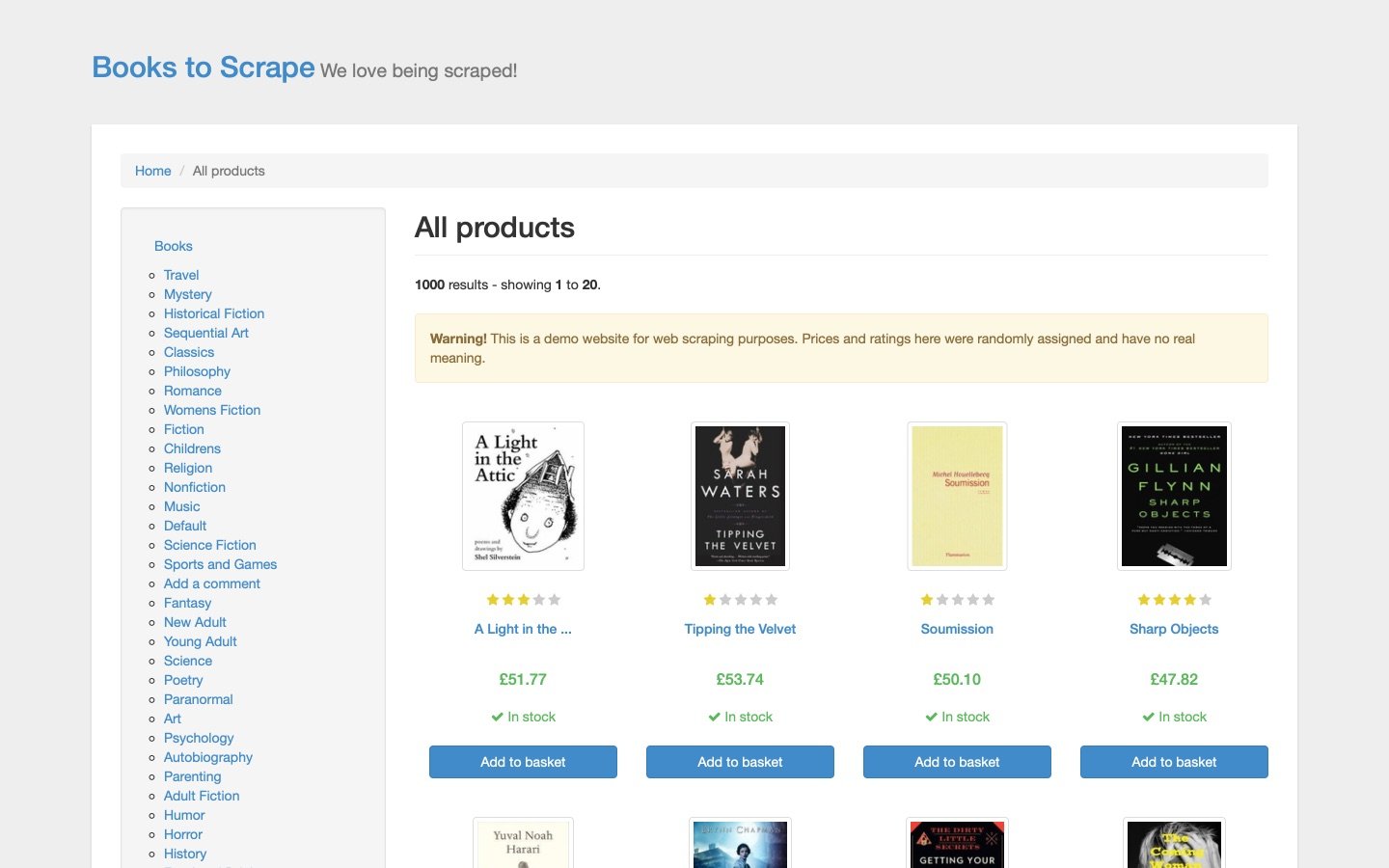
extract finds the records by itself
It looks for siblings that share a tag and class, pools them across the page, and picks the group with the most substantial text. Nothing is written for each site.
It also reads the schema.org data a page publishes. A job page’s JobPosting has the salary as numbers, which is cleaner than anything scraped from the layout.
Sites see Safari
The user agent is Safari’s, taken from the installed Safari. Pages report themselves as visible, animation frames run, and type sends real key events.
When a site does put up a bot check, periscope says so. Google’s CAPTCHA and “verifying your request” pages, DuckDuckGo’s challenge and Cloudflare’s “Just a moment” all exit with code 5 instead of passing for content. --wait-challenge 20 gives a check that clears itself time to finish.
Mozilla/5.0 (Macintosh; Intel Mac OS X 10_15_7)
AppleWebKit/605.1.15 (KHTML, like Gecko)
Version/26.5.2 Safari/605.1.15

$ periscope navigate https://example.com/…
Error: Blocked by cloudflare-challenge at https://example.com/…
$ echo $?
5
Pages stay open
A background daemon holds one live WebKit page per named session. The command line sends each command over a unix socket and prints the reply. Nothing reloads between commands, so logins, single-page-app routes and scroll position survive. login and show put the window on screen so a person can sign in or solve a CAPTCHA, then hand it back.
- The shell or an MCP client runs a command, such as
periscope text --session demo. - It goes over a unix socket,
~/.periscope/run/sock. - The daemon keeps a hidden window per session:
demoon books.toscrape.com,searchon a results page,appsigned in.
| Time | Operation |
|---|---|
| 14 ms | an eval on an open page |
| 33 ms | text of an open page |
| 580 ms | loading a new page |
Install it where your agent is
| Where | How |
|---|---|
| Homebrew | brew install oskar-szulc/tap/periscope |
| Claude Desktop | Open periscope-<version>.mcpb from the latest release |
| Claude Code | /plugin marketplace add oskar-szulc/periscope |
| Codex, Cursor and others | npx skills add oskar-szulc/periscope |
| Any MCP client | periscope mcp, listed in the MCP Registry as io.github.oskar-szulc/periscope |
periscope docs prints the full reference for an agent that already has it.
periscope is open source under the MIT licence: github.com/oskar-szulc/periscope
Leave a Reply